I like static sites because they are simple in all the ways that usually matter later.
There is no app server to babysit, no database to drag along, and no pile of moving parts that turns a small website into an ongoing maintenance project. If all you need is a blog, portfolio, or personal site, that simplicity is hard to beat.
Cloudflare Pages is a good fit for that kind of setup.
What Cloudflare Pages actually does
At the basic level, Cloudflare Pages hosts your built site and puts it behind Cloudflare’s network. You give it the finished output, and it serves the site over HTTPS on a fast edge platform.
That is really the whole pitch.
If your project builds into a folder like dist, public, or out, Cloudflare Pages can take that output and publish it. You do not need a full application runtime just to serve a few pages.
Why static is nice for smaller sites
The biggest benefit is not that it is trendy and not even that it is fast, although it usually is.
The biggest benefit is that it keeps the problem small.
If a page looks wrong, you check the generated files. If the domain is wrong, you check DNS. If the deployment fails, you look at the build or the upload step. That is a much easier troubleshooting path than chasing problems through a server process, framework config, database, and hosting panel at the same time.
For a personal site, that matters a lot.
The basic workflow
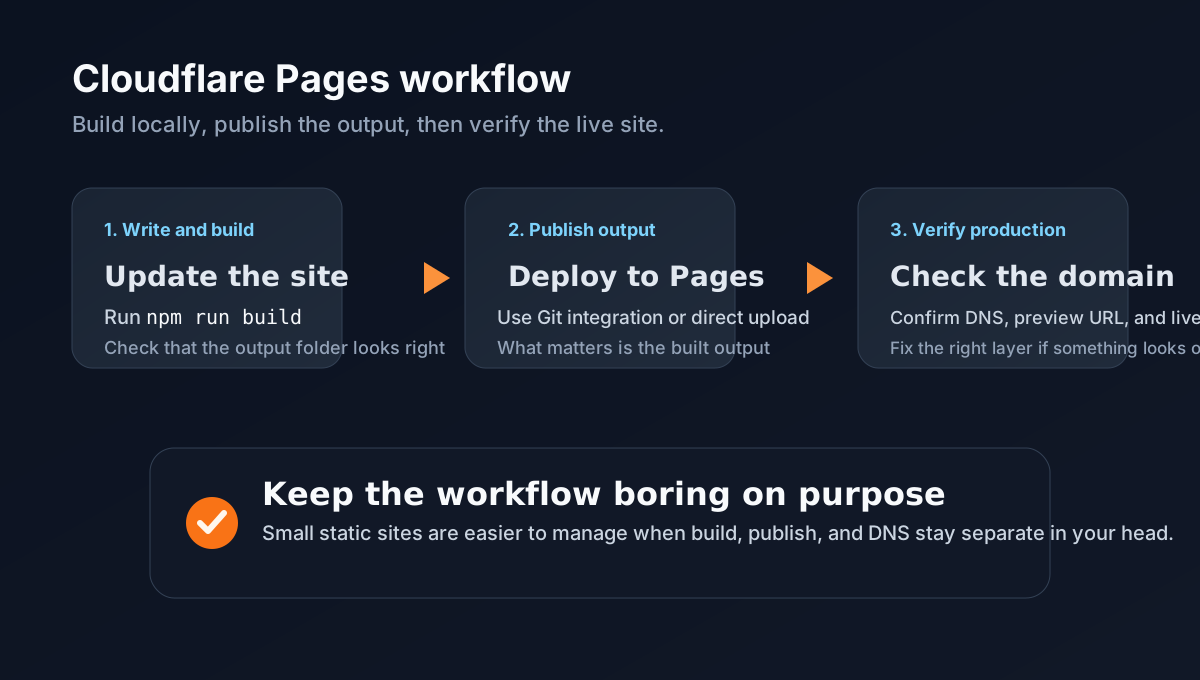
Most static-site deployments to Cloudflare Pages follow the same rough pattern:
- Write or update the content.
- Run the build.
- Make sure the output folder looks right.
- Publish that output to Cloudflare Pages.
- Attach the custom domain and verify the live site.
That may sound obvious, but it helps to keep those steps mentally separate. A lot of deployment confusion comes from mixing them together.
What “build” means in plain English
When people talk about building a static site, it can sound more complicated than it really is.
In practice, the build step just takes your source files and turns them into browser-ready pages.
That might mean:
- markdown gets converted into HTML
- templates get filled in
- CSS gets copied or bundled
- static assets get placed in the right folders
When the build is done, you are left with a plain folder of files that a browser can read directly.
That is the part I care about most before publishing. If the output is clean, the deploy is usually straightforward.
A simple example
For a lightweight project, the build may be as simple as:
npm install
npm run build
After that, you may end up with something like:
dist/
  index.html
  about/index.html
  blog/index.html
  assets/styles.css
That dist folder is the website.
Everything outside that folder is source code, content, and build logic. Useful for you, but not the thing visitors actually need.
Two ways to deploy it
There are two common ways to publish a static site to Cloudflare Pages.
The first is to connect a Git repository. In that setup, Cloudflare watches a branch, runs your build command, and publishes the output automatically when you push changes.
The second is direct upload. In that setup, you run the build yourself and upload the finished output folder using a tool like Wrangler.
Both are valid.
If the repo and build process are stable, the Git-connected route is convenient. If you want more control, or you are working with a custom setup and want to verify the build before it goes live, direct upload is often the cleaner option.
What actually gets pushed
This is the part that clears up a lot of confusion.
Cloudflare Pages does not need your entire project in order to serve a static site. It needs the built output.
If you use Git integration, Cloudflare pulls the repo and builds it on its side. If you use direct deployment, you build the site locally and upload the output folder yourself.
Either way, the important question is the same:
Is the final output correct?
That is what people are going to hit in the browser.
A direct-deploy example
If you want to keep things simple and explicit, a direct deploy is easy to follow:
npm install
npm run build
npx wrangler pages deploy dist --project-name your-project-name
That sequence does three things:
- installs the project dependencies
- builds the static site
- uploads the built output to Cloudflare Pages
I like this flow because it leaves very little mystery about what is happening.
You can stop after npm run build, open the dist folder, and confirm the pages are there before you publish anything.
Where people usually get tripped up
One common mistake is treating a static site like a server app.
If the site is just HTML, CSS, images, and a little JavaScript, do not make deployment harder than it needs to be. Build it, publish it, and keep production simple.
Another common mistake is assuming the site is broken when the real issue is the domain cutover.
Sometimes the build is fine and the upload is fine, but DNS still points somewhere old. Sometimes the browser is just serving cached content. Sometimes the wrong host is still responding.
When that happens, I usually check things in this order:
- Did the site build successfully?
- Did the deployment actually finish?
- Does the Pages preview URL look right?
- Does the custom domain point at the correct Pages project?
- Is the browser showing something stale?
That order saves a lot of time.
The domain part
Once the Pages project is working on its preview or project URL, the rest is mostly DNS and verification.
You add the custom domain in Cloudflare Pages, update the DNS records if needed, and wait for the domain to verify. After that, I like to check both the project URL and the production domain to make sure they are serving the same site.
If the old homepage is still showing up, I do not immediately start rewriting code. I check whether the domain is really pointed at the new deployment first.
Why I still like this setup
Years from now, I would much rather come back to a small repo with markdown posts, a build script, and a predictable hosting target than try to remember why a personal site needed an overcomplicated stack.
That is the real appeal here.
For the right kind of site, static output plus Cloudflare Pages keeps things fast, cheap, and pretty easy to manage. It is not the answer for every project, but for a straightforward blog or personal site, it is a solid option that does not create extra work for no reason.